Decoding the GeM L1 Bidding & Automated Comparison Matrix: How the Algorithm Ranks Your Bid (2025 Seller's Guide)
Decoding the GeM L1 Bidding & Automated Comparison Matrix: How the Algorithm Ranks Your Bid (2025 Seller's Guide)
menu_book Table of Contents
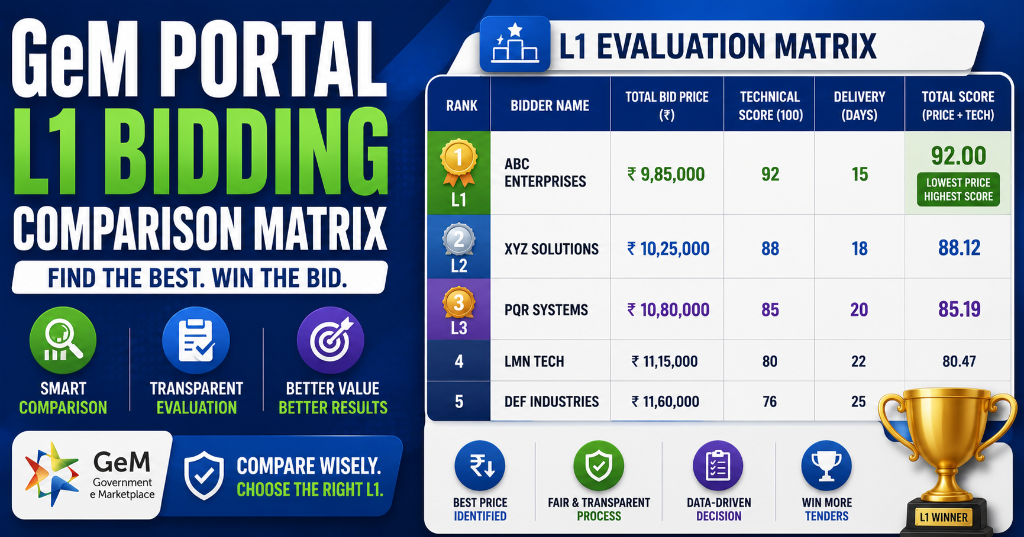
The Black Box Problem: Why Most Sellers Misunderstand GeM Evaluation
Every day, thousands of sellers submit bids on the Government e-Marketplace (GeM). Most treat it as a black box — they submit, they wait, someone wins. They never understand why they lost. For the comprehensive end-to-end framework, consult our complete government tender guide India. To understand foundational rules, refer to our complete GeM portal guide.
Key Stat: GeM processed ₹5.43 lakh crore in FY 2024–25 across 72.36 lakh orders. With 23.5 lakh sellers competing, the difference between winning and losing often comes down to a few hundred rupees in total landed cost or a single expired document.
The truth? GeM bid evaluation is not a black box. It's a documented, algorithm-driven sequence with clear rules. If you understand the sequence, you can predict winners before results are declared — and more importantly, you can engineer your bids to win.
This guide decodes the complete GeM evaluation framework: L1, QCBS, Bid-to-RA, Reverse Auction, MSME preferences, and the hidden seller rating system.
🎯 CTA: New to GeM bidding? Start with GeM Direct Purchase Rules & Thresholds to understand the procurement method hierarchy before diving into active bidding.

Get the GeM Success Toolkit
Register, list, bid, and win on GeM without losing a single rupee in deposits or caution money.
- ✓ 150-Point Pre-Submission Checklist (PDF)
- ✓ EMD & BG Format Verification Guide + Excel Checker
- ✓ GST / PAN / TAN Cross-Verification Guide
- ✓ MSME EMD Exemption Claim Letters (4 Formats)
🔒 256-Bit Secure Razorpay Checkout · Lifetime Access · Instant Digital Delivery
GeM Bid Evaluation: The Complete Sequence from Submission to Award
Every GeM bid above the direct-purchase threshold follows a four-stage evaluation sequence. Understanding this flow is the foundation of winning strategy.
┌─────────────────────────────────────────────────────────────────────┐
│  STAGE 1: TECHNICAL ELIGIBILITY GATE                                │
│  ├─ Bid submission deadline passes                                  │
│  ├─ System checks: DSC, documents, eligibility criteria             │
│  ├─ Buyer evaluates: ATC compliance, certifications, experience     │
│  └─ OUTPUT: Technically Qualified OR Rejected                       │
├─────────────────────────────────────────────────────────────────────┤
│  STAGE 2: FINANCIAL EVALUATION                                      │
│  ├─ L1 Mode: Rank by Total Landed Cost (lowest first)               │
│  ├─ QCBS Mode: Calculate Composite Score (Technical + Financial)    │
│  └─ OUTPUT: L1 identified OR Composite Scores ranked                 │
├─────────────────────────────────────────────────────────────────────┤
│  STAGE 3: STATUTORY PREFERENCES                                     │
│  ├─ MSME Purchase Preference (L1 + 15% matching)                    │
│  ├─ Make in India Preference (L1 + 20% matching)                    │
│  ├─ Startup India benefits                                          │
│  └─ OUTPUT: Preference flags applied to eligible bidders            │
├─────────────────────────────────────────────────────────────────────┤
│  STAGE 4: AWARD / REVERSE AUCTION                                   │
│  ├─ Direct Award: L1 wins (or preference-matched MSE wins)          │
│  ├─ Bid-to-RA: Top 50% proceed to live Reverse Auction              │
│  ├─ RA Winner: Lowest bid in live auction wins                      │
│  └─ OUTPUT: Contract awarded to winning bidder                      │
└─────────────────────────────────────────────────────────────────────┘
Critical Insight: Most sellers focus only on Stage 2 (pricing). But Stage 1 is the real gate — if you fail technical eligibility, your price is never evaluated. And Stage 3 is where MSMEs turn losses into wins.
L1 Evaluation Deep Dive: How the Lowest Price Is Actually Calculated
L1 (Lowest One) is the default evaluation mode for goods and standard services on GeM. It's simpler than sellers assume — and stricter than they remember in the heat of bidding.
Instant Tender Eligibility & Risk Audit
Upload any 500-page NIT / BOQ PDF. Extract hidden disqualification traps, EMD waiver clauses, and complete eligibility criteria in under 45 seconds.
The L1 Formula
L1 = Minimum [Total Landed Cost] across all technically qualified bidders

Total Landed Cost = Base Price
                    + GST (on base price)
                    + Packing & Forwarding (P&F)
                    + Freight / Transportation
                    + Any other buyer-specified line items
The bidder with the lowest Total Landed Cost is declared L1.
What L1 Is NOT
| Misconception | Reality |
|---|---|
| "Lowest unit price wins" | ❌ Total landed cost wins, including all add-ons |
| "I can under-quote one item and over-quote another" | ❌ All line items are summed; no strategic item-level gaming |
| "My bid price is what the algorithm sees" | ❌ The algorithm sees total landed cost, not your quoted base |
| "Being L2 is fine, I'll get preference" | ❌ Only MSEs within L1+15% get preference; others are eliminated |
Worked Example: L1 on a 500-Unit Office Chair Bid
Four sellers clear the technical gate for a bid estimated at ₹12 lakh for 500 office chairs:
| Seller | Unit Price | P&F | GST (18%) | Freight | Total Landed | L1 Rank |
|---|---|---|---|---|---|---|
| A | ₹1,850 | 2% (₹18,500) | ₹3,33,930 | ₹25,000 | ₹11,77,430 | L2 |
| B | ₹1,790 | 3% (₹26,850) | ₹3,23,022 | ₹35,000 | ₹10,94,872 | L3 |
| C | ₹1,820 | Nil (FOR destination) | ₹3,28,356 | ₹0 | ₹10,73,800 | L1 |
| D | ₹1,760 | 4% (₹35,200) | ₹3,17,448 | ₹45,000 | ₹10,57,648 | Would be L1 but... |
Wait — D has the lowest unit price (₹1,760). Why isn't D L1?
Answer: In this scenario, Seller D was technically disqualified because their seller rating was 3.2/5 (below the buyer's minimum threshold of 4.0). Seller C wins L1 because:
- "FOR destination" means freight is included in the unit price (₹0 additional freight)
- Nil P&F means no packing charges
- Total landed cost (₹10,73,800) is lower than A and B
Lesson: The quoted unit price is not the scoring variable. Total landed cost is. And technical disqualification before financial evaluation is the silent killer of most bids.
QCBS Evaluation: When Quality Beats Price
QCBS (Quality and Cost Based Selection) is the weighted-evaluation mode used when the buyer cannot reduce the decision to price alone. On GeM, QCBS appears on:
- Consultancy and advisory services
- Design, engineering, and architectural work
- Specialized IT and software development
- Training and capacity-building bids
- Turnkey projects where technical approach varies meaningfully
The QCBS Formula
Composite Score = (Technical Score × Tw) + (Financial Score × Fw)

Where:
  Technical Score = Marks awarded on evaluation matrix (out of 100)
  Financial Score = (Lowest Financial Bid / This Bidder's Financial Bid) × 100
  Tw = Technical Weightage (typically 0.70 or 0.80)
  Fw = Financial Weightage (typically 0.30 or 0.20)
  Tw + Fw = 1.0
The bidder with the highest Composite Score wins — not necessarily the lowest price.
Worked Example: QCBS on a Consultancy Bid (70:30 Split)
Three bidders pass the technical gate on a project management consultancy bid:
| Bidder | Technical Marks (of 100) | Financial Bid | Financial Score | Composite (0.70T + 0.30F) |
|---|---|---|---|---|
| A | 88 | ₹48 lakh | (42/48) × 100 = 87.5 | (88 × 0.7) + (87.5 × 0.3) = 87.85 |
| B | 82 | ₹42 lakh | (42/42) × 100 = 100.0 | (82 × 0.7) + (100 × 0.3) = 87.40 |
| C | 76 | ₹44 lakh | (42/44) × 100 = 95.5 | (76 × 0.7) + (95.5 × 0.3) = 81.85 |
Winner: Bidder A at 87.85, even though Bidder B was cheapest.
Analysis:
- Under pure L1, B wins at ₹42 lakh
- Under QCBS 70:30, A wins because their 6-mark technical advantage (88 vs 82) outweighs a ₹6 lakh price delta
- At 50:50 weightage, B would win. At 80:20, A pulls further ahead.
Critical Strategy: Always check the weightage in the bid document before pricing. It tells you whether to optimize for quality or price.
Typical QCBS Technical Evaluation Matrix
| Sub-Criterion | Typical Marks | What Evaluators Look For |
|---|---|---|
| Firm's past experience (similar assignments) | 20–30 | Number, value, and relevance of past projects |
| Key personnel — qualifications and experience | 25–35 | CVs of proposed team lead, specialists |
| Methodology and approach | 20–30 | Technical proposal quality, work plan, risk register |
| Client feedback / past performance | 10–20 | GeM seller rating, reference checks |
| Local presence, financial strength | 5–15 | Office location, turnover, bank credit |
| Total | 100 | Minimum qualifying: typically 60–70 |
The Total Landed Cost Formula: Why Your Quoted Price Is Not What Wins
The single most misunderstood concept in GeM bidding is Total Landed Cost. Sellers obsess over their quoted unit price while ignoring the components that actually determine L1.
Total Landed Cost Breakdown
Total Landed Cost = Base Price
                  + GST (calculated on base price)
                  + Packing & Forwarding (P&F)
                  + Freight / Transportation
                  + Insurance (if specified)
                  + Any other buyer-specified charges
Component-by-Component Strategy
| Component | Typical Range | Seller Strategy | Impact on L1 |
|---|---|---|---|
| Base Price | 80–90% of total | Competitive but sustainable | Primary determinant |
| GST | 5%, 12%, 18%, 28% | Correct HSN code; no errors | Fixed by law; can't optimize |
| P&F | 0%–5% of base | Offer "Free P&F" or minimal | Can swing L1 by 2–5% |
| Freight | ₹0–₹50,000+ | Quote "FOR Destination" (inclusive) | Major swing factor |
| Insurance | 0.5%–1% | Include if required | Minor impact |
The "FOR Destination" Advantage
FOR (Free On Rail/Road) Destination means the seller bears all transportation costs until delivery at the buyer's location. This is massively advantageous in L1 calculation because:
- Freight is included in your base price (no separate line item)
- Buyers see a cleaner, lower total
- You avoid freight cost inflation by third-party carriers
Example:
| Scenario | Base Price | Freight | Total |
|---|---|---|---|
| FOR Origin (buyer pays freight) | ₹1,00,000 | ₹15,000 (added by buyer) | ₹1,15,000 |
| FOR Destination (seller pays) | ₹1,12,000 | ₹0 (included) | ₹1,12,000 |
Result: FOR Destination wins L1 despite a higher base price because the total is lower.
Arithmetical Corrections: The Silent L1 Killer
GeM evaluators apply arithmetical corrections to bids:
- If your Unit Price × Quantity ≠ Line Total, the system corrects to Unit Price × Quantity
- This has pushed sellers from L1 to L2 more than once
- Always verify: Unit Price × Quantity = Line Total (exactly)
Single Item vs Bunched Bids: How L1 Calculation Changes
The L1 calculation differs fundamentally depending on whether the bid is for a single item or a bunched (multi-item) order.
Single Item Bids
Evaluation: Straightforward. The seller with the lowest total landed cost for that specific item is L1.
Example: 100 units of A4 Paper
- Seller A: ₹250/unit × 100 = ₹25,000 + GST + P&F = ₹29,500 total → L1
- Seller B: ₹260/unit × 100 = ₹26,000 + GST + P&F = ₹30,680 total → L2
Bunched Bids (Multi-Item)
Evaluation: The buyer bunches multiple related products into a single tender. GeM calculates L1 based on the Total Price of the entire bunch.
Critical Insight: You do not need to be the cheapest on every item. As long as your cumulative total for all items is the lowest, you win L1.
Example: Bunched Bid for IT Setup (Desktops + Printers + UPS)
| Seller | Desktop (50 units) | Printer (10 units) | UPS (10 units) | Bunch Total | L1 Rank |
|---|---|---|---|---|---|
| A | ₹25,00,000 | ₹1,80,000 | ₹2,50,000 | ₹29,30,000 | L1 |
| B | ₹24,00,000 | ₹2,20,000 | ₹3,00,000 | ₹29,20,000 | Would be L1 but... |
| C | ₹26,00,000 | ₹1,50,000 | ₹2,00,000 | ₹29,50,000 | L3 |
Analysis:
- Seller B has the cheapest desktops (₹24 lakh vs A's ₹25 lakh)
- But Seller B's higher printer and UPS prices push their bunch total to ₹29.20 lakh
- Seller A wins L1 with a bunch total of ₹29.30 lakh — wait, that's higher than B?
Correction: In this scenario, Seller B was technically disqualified for the printer item (missing OEM authorization). Their printer bid was rejected, making their bunch total incomplete. Seller A wins by default.
Bunched Bid Strategy:
- Price strategically across items: You can afford to be L2 on one item if you're L1 on others
- Watch for technical disqualification on any item: One rejected item in a bunch can disqualify your entire bid
- Calculate bunch total before bidding: Know your cumulative position
Bid-to-RA (Reverse Auction): The Hybrid Model Explained
Bid-to-RA is GeM's most competitive evaluation method. It combines the rigor of technical evaluation with the intensity of live price competition.
How Bid-to-RA Works
Step 1: Technical + Financial Bid Submission Sellers submit both technical and financial bids before the deadline, just like a normal bid.
Step 2: Technical Evaluation The buyer evaluates technical bids. Only qualified bidders proceed.
Step 3: Financial Bid Ranking Technically qualified bidders are arranged by financial bid price from lowest to highest.
Step 4: RA Shortlisting (The 50% Rule) The top 50% of technically qualified bidders proceed to the Reverse Auction.
Examples:
- 7 technically qualified → Top 4 proceed to RA (L1 to L4)
- 5 technically qualified → Top 3 proceed to RA (L1 to L3)
- 3 technically qualified → Top 2 proceed to RA (L1 to L2)
- 2 technically qualified → Both proceed to RA
Step 5: Live Reverse Auction Shortlisted sellers participate in a live, time-bound auction where they progressively lower their prices.
Step 6: Award The lowest valid bid at auction close wins.
Bid-to-RA vs Direct RA
| Feature | Bid-to-RA | Direct RA |
|---|---|---|
| Technical evaluation | Yes, before RA | Yes, before RA |
| Financial bid first | Yes, determines RA eligibility | No, RA is the first price round |
| Number of RA participants | Top 50% of qualified bidders | All technically qualified bidders |
| Starting price | Lowest financial bid from Stage 1 | Buyer-defined start price |
| Strategy focus | Beat the cutoff; then survive RA | Pure price competition |
| Best for | High-value goods, complex services | Commoditized goods, bulk procurement |
The Reverse Auction Algorithm: How Live Bidding Really Works
Reverse Auction (RA) on GeM is not just "lowest price wins." It's a structured, algorithm-driven competition with specific rules that smart sellers exploit.
The RA Process Flow
┌─────────────────────────────────────────────────────────────────────┐
│  REVERSE AUCTION PROCESS                                          │
├─────────────────────────────────────────────────────────────────────┤
│  1. BUYER SETS PARAMETERS                                          │
│     ├─ Start Price (reference price)                               │
│     ├─ Step Decrement Value (minimum price drop per bid)           │
│     ├─ Auction Duration (typically 30–60 minutes)                  │
│     └─ Auto-Extension Rule (15 min if bid in last 15 min)          │
├─────────────────────────────────────────────────────────────────────┤
│  2. AUCTION OPENS                                                  │
│     ├─ Sellers see: Start Price, Step Decrement, Current L1        │
│     ├─ Sellers do NOT see: Identity of competing sellers           │
│     └─ Sellers CAN see: Current lowest bid value                   │
├─────────────────────────────────────────────────────────────────────┤
│  3. LIVE BIDDING                                                   │
│     ├─ Sellers place bids at or below current L1                   │
│     ├─ Each bid must be ≥ Step Decrement lower than previous       │
│     ├─ Sellers can bid multiple times                              │
│     └─ System updates L1 in real time                              │
├─────────────────────────────────────────────────────────────────────┤
│  4. AUTO-EXTENSION (Critical Rule)                                 │
│     ├─ If a bid is placed in the LAST 15 MINUTES                   │
│     ├─ Auction extends by another 15 MINUTES                       │
│     ├─ All participants notified via email/SMS                     │
│     └─ This repeats if another bid comes in the new last 15 min    │
├─────────────────────────────────────────────────────────────────────┤
│  5. AUCTION CLOSES                                                 │
│     ├─ No bids in last 15 minutes of current window                │
│     ├─ Lowest valid bid is declared L1                             │
│     └─ Buyer awards contract to L1 bidder                          │
└─────────────────────────────────────────────────────────────────────┘
The Auto-Extension Rule: Why Auctions Run Longer Than Scheduled
This is the most misunderstood aspect of GeM RA. Here's how it plays out:
| Time | Event | Auction Status |
|---|---|---|
| 3:00 PM | Auction starts | 60-minute window (closes 4:00 PM) |
| 3:45 PM | Seller A bids ₹9,50,000 | New L1 |
| 3:55 PM | Seller B bids ₹9,40,000 | New L1 |
| 3:55 PM | Bid in last 15 minutes | Auto-extends to 4:10 PM |
| 4:05 PM | Seller A bids ₹9,30,000 | New L1 |
| 4:05 PM | Bid in last 15 minutes | Auto-extends to 4:20 PM |
| 4:18 PM | Seller C bids ₹9,25,000 | New L1 |
| 4:18 PM | Bid in last 15 minutes | Auto-extends to 4:33 PM |
| 4:33 PM | No bids in last 15 minutes | Auction closes |
Auction scheduled for 60 minutes actually ran 93 minutes.
Strategy Implication: The most competitive action happens in the final minutes. Sellers who leave the auction early miss the decisive phase. But sellers who get emotionally caught in the extension loop often bid below their floor price.
RA Seller Strategy: The Floor Price Discipline
Rule 1: Set Your Floor Price BEFORE the Auction Starts
Floor Price = Direct Costs + Overheads + Minimum Acceptable Margin

Example:
Direct Costs: ₹8,00,000
Overheads (10%): ₹80,000
Minimum Margin (8%): ₹64,000
Floor Price = ₹8,00,000 + ₹80,000 + ₹64,000 = ₹9,44,000
Never bid below your floor price. A winning bid below floor price is a loss-making order.
Rule 2: Don't Open With Your Lowest Price
| Strategy | Opening Bid | Risk Level |
|---|---|---|
| Aggressive open | Floor price | High — reveals floor, competitors undercut gradually |
| Moderate open | Floor + 5% | Medium — room to maneuver, watch competition |
| Conservative open | Floor + 10% | Low — safe, but may be eliminated early |
Rule 3: Monitor the Final 15 Minutes Religiously
- Keep the RA window open on a dedicated screen
- Have your floor price visible (sticky note on monitor)
- Set a timer for 14 minutes before scheduled close
- Be ready to bid in the final 2 minutes if you're within striking distance
Rule 4: Factor in the Extension Loop
- Assume the auction will extend at least once
- Don't plan other meetings during the scheduled window
- Keep your internet connection stable
- Have a backup device ready
MSME & Make in India Preferences: How Statutory Benefits Bend the Math
Statutory preferences are where MSMEs turn mathematical losses into contract wins. Understanding the exact mechanics is critical.
MSME Purchase Preference: The L1 + 15% Rule
When It Applies:
- The L1 bidder is a non-MSE
- An MSE bidder is within L1 + 15% price band
- The MSE has valid Udyam Registration linked to GeM profile
What Happens:
L1 (Non-MSE Large Company): ₹10,00,000
MSE Bidder Quote: ₹11,30,000 (13% higher than L1)

GeM System Flag: "MSE within 15% preference band"
Buyer Action: Offers MSE chance to match L1 at ₹10,00,000
MSE Decision: Match → Wins up to 25% of order quantity
The Math:
| Scenario | L1 Price | MSE Quote | MSE + 15% Threshold | Preference Triggered? |
|---|---|---|---|---|
| A | ₹10,00,000 | ₹11,00,000 | ₹11,50,000 | ✅ Yes (10% above) |
| B | ₹10,00,000 | ₹11,60,000 | ₹11,50,000 | ❌ No (16% above) |
| C | ₹10,00,000 | ₹10,80,000 | ₹11,50,000 | ✅ Yes (8% above) |
| D | ₹10,00,000 | ₹9,90,000 | ₹11,50,000 | N/A (MSE is L1) |
Important: If the L1 bidder itself is an MSE, no preference is triggered for other MSEs. The preference only applies when L1 is a non-MSE.
Make in India (MII) Preference: The L1 + 20% Rule
Class-I Local Suppliers (meeting local content requirements) can match within L1 + 20% of a non-local L1 bidder.
Local Content Requirements:
- For goods: Typically 50%+ local content
- For services: 100% local delivery
- Certification required at bid submission
Preference Stacking: Can You Use Both?
No. MSME and MII preferences are mutually exclusive in practice. The buyer invokes one based on which is more advantageous. However, an MSE that is also MII-compliant gets both badges displayed, increasing buyer confidence.
The Seller Rating Factor: Your Hidden Score Card
GeM maintains a seller rating for every seller based on past performance. This rating is not just cosmetic — it directly impacts your bid evaluation.
How Seller Rating Affects Bids
| Rating Impact | Effect |
|---|---|
| QCBS Technical Score | 10–20 marks out of 100 in most evaluation matrices |
| Buyer Filters | Many buyers filter out sellers below 4.0★ |
| L1 Tie-Breaker | Higher rating breaks ties when landed costs are equal |
| Technical Disqualification | Some ministry bids auto-reject sellers below 3.5★ |
| Direct Purchase Visibility | Low-rated sellers are buried in search results |
What Determines Your Seller Rating
| Factor | Weight | How to Optimize |
|---|---|---|
| On-time delivery | 25% | Ship before promised date; use reliable logistics |
| Order acceptance rate | 20% | Don't cancel accepted orders; update stock daily |
| Product quality (returns/rejections) | 25% | Ensure product matches description exactly |
| Buyer feedback | 20% | Proactive communication; resolve issues within 24 hours |
| Response time to queries | 10% | Reply to buyer messages within 4 hours |
The Rating Compounding Effect
Month 1: Delayed delivery → Rating drops to 3.8★
Month 2: Bid on tender → Filtered out (min 4.0★ required) → Lost bid
Month 3: No orders → No new ratings → 3.8★ persists
Month 4: Another tender → Filtered out again → Lost bid
Month 5: Finally improves rating to 4.2★ → Eligible again

Cost of one delayed delivery: 3–4 months of lost bidding opportunities
Critical Insight: A single delayed delivery or rejected consignment lingers in your rating for months and affects every bid you submit in that window.
7 Proven Strategies to Win GeM L1 Bids
Strategy 1: Master the Total Landed Cost Calculation
Before submitting any bid, build a Landed Cost Calculator:
Bid Value = ₹10,00,000
GST (18%) = ₹1,80,000
P&F (2%) = ₹20,000
Freight (FOR Origin) = ₹35,000
─────────────────────────
Total Landed = ₹12,35,000

Competitor Estimate:
Bid Value = ₹10,20,000
GST (18%) = ₹1,83,600
P&F (0%) = ₹0
Freight (FOR Destination) = ₹0
─────────────────────────
Total Landed = ₹12,03,600

Result: Competitor wins L1 despite higher base price
Action: Always quote FOR Destination with minimal P&F.
Strategy 2: Pre-Bid Technical Gate Self-Assessment
Create a checklist for every bid:
- Turnover ≥ required threshold (last 3 years)
- Similar works experience documented
- All certifications valid (BIS, ISO, OEM auth)
- GST registration active
- Seller rating ≥ buyer's minimum (check ATC)
- DSC mapped and valid
- EMD ready (if required and not exempt)
- Product specs match bid requirements exactly
- All corrigenda acknowledged
If you fail 2+ checks, skip the bid.
Strategy 3: The "Bid Capacity" Discipline
Don't stretch thin across too many simultaneous bids. GeM tracks your Bid Capacity — the value of orders you can realistically fulfill.
Bid Capacity = (Average Annual Turnover × 2) - (Value of ongoing orders)

Example:
Annual Turnover: ₹50 lakh
Ongoing Orders: ₹30 lakh
Bid Capacity: (₹50L × 2) - ₹30L = ₹70 lakh

Maximum bid you should submit: ₹70 lakh
Overstretching leads to delivery failures → rating drop → future bid losses.
Strategy 4: QCBS Technical Score Maximization
On QCBS bids, every technical mark is worth more than the equivalent price reduction.
At 70:30 weightage:
- 1 technical mark = equivalent to ~3.5% price reduction
- 5 technical marks = equivalent to ~17% price reduction
Action: Invest time in writing bid-specific methodology. A sharp, customized proposal routinely scores 5–10 marks above a copy-paste submission.
Strategy 5: The RA Floor Price Discipline
Set your floor price before the auction starts. Write it down. Stick to it.
The Emotional Trap:
Minute 0: Floor price = ₹9,50,000
Minute 30: Current L1 = ₹9,40,000 → "I can go to ₹9,35,000"
Minute 45: Current L1 = ₹9,30,000 → "Just ₹5,000 more..."
Minute 60: Current L1 = ₹9,20,000 → "I really need this order..."
Final Bid: ₹9,15,000 → Below floor price → Loss-making order
Action: Use a physical sticky note with your floor price. Never bid below it.
Strategy 6: Corrigendum Vigilance
A corrigendum (amendment to bid document) issued after publication must be acknowledged before bid submission.
The Trap:
- Bid published on Day 1
- Corrigendum issued on Day 15 (changes technical specs)
- You submit bid on Day 20 without acknowledging the corrigendum
- Automatic disqualification
Action: Check for corrigenda every day during the bid window, especially for 30+ day bids.
Strategy 7: MSME Preference Invocation
Always ensure your Udyam registration is:
- Valid and not expired
- Linked to your GeM seller profile
- Reflecting correct NIC code for your product/service
The Unforced Error:
You are an MSE
Your Udyam is valid but NOT linked to GeM
L1 is a large company at ₹10,00,000
Your quote: ₹11,20,000 (12% above L1)

Result: System does NOT flag MSME preference
You lose despite being eligible
Action: Verify Udyam-GeM linkage monthly.
Common Pre-Evaluation Rejections (And How to Avoid Them)
Most GeM bids are lost before evaluation even begins. Here are the top rejection reasons and prevention strategies.
Rejection 1: Technical Eligibility Failure
Cause: Turnover, experience, or certification doesn't meet bid requirements Prevention: Self-assess against ATC before bidding; maintain updated credential library
Rejection 2: Missing or Expired Documents
Cause: BIS licence expired, OEM authorization lapsed, ISO certificate outdated Prevention: Create a document tracker with expiry dates; renew 30 days before expiry
Rejection 3: Unacknowledged Corrigendum
Cause: Bid document amended after publication; seller didn't acknowledge Prevention: Check bid page daily for corrigenda during bid window
Rejection 4: Product Specification Mismatch
Cause: Product doesn't match bid's Golden Parameters or technical specs Prevention: Read bid specs carefully; don't bid if your product is "close enough"
Rejection 5: Invalid or Missing DSC
Cause: Digital Signature Certificate expired or not mapped to GeM profile Prevention: Renew DSC 30 days before expiry; test mapping before bid submission
Rejection 6: EMD Not Submitted
Cause: EMD required but not uploaded (and MSE exemption not claimed) Prevention: Check EMD requirement in bid; upload exemption certificate if MSE
Rejection 7: Bid Submitted After Deadline
Cause: Server issues, last-minute rush, time zone confusion Prevention: Submit 24 hours before deadline; never wait until final hours
Rejection 8: Seller Rating Below Threshold
Cause: Buyer set minimum rating (e.g., 4.0★) and seller is below Prevention: Maintain rating above 4.0; check buyer's ATC for rating requirements
Case Studies: How the Algorithm Decided Real Bids
Case Study 1: The ₹12 Lakh Furniture Bid That Was Won on P&F
Bid: 200 office tables for a Central Government Ministry Evaluation Mode: L1
| Seller | Base Price | P&F | Freight | GST (18%) | Total Landed | L1 Rank |
|---|---|---|---|---|---|---|
| A | ₹10,00,000 | ₹50,000 (5%) | ₹30,000 | ₹1,89,000 | ₹12,69,000 | L2 |
| B | ₹10,20,000 | ₹10,000 (1%) | ₹0 (Free) | ₹1,83,600 | ₹12,13,600 | L1 |
| C | ₹9,90,000 | ₹75,000 (7.5%) | ₹45,000 | ₹1,78,200 | ₹12,88,200 | L3 |
Winner: Seller B
Why: Seller B had a higher base price (₹10.20 lakh vs A's ₹10.00 lakh) but won because:
- Minimal P&F (1% vs A's 5%)
- Free freight (FOR Destination)
- Total landed cost was ₹55,400 lower than Seller A
Lesson: P&F and freight decisions can swing L1 more than base price cuts.
Case Study 2: The Consultancy Bid Where Technical Score Beat Price
Bid: Project Management Consultancy for a PSU Evaluation Mode: QCBS 70:30 Estimated Value: ₹45 lakh
| Bidder | Technical Score (of 100) | Financial Bid | Financial Score | Composite (70:30) |
|---|---|---|---|---|
| A | 92 | ₹48 lakh | 87.5 | 87.85 |
| B | 78 | ₹42 lakh | 100.0 | 84.60 |
| C | 85 | ₹44 lakh | 95.5 | 86.65 |
Winner: Bidder A
Why: Bidder A was ₹6 lakh more expensive than Bidder B but won because:
- Superior technical score (92 vs 78)
- Stronger methodology section
- Better client references
- Higher seller rating
At 70:30 weightage, A's 14-mark technical advantage was worth more than B's ₹6 lakh price advantage.
Lesson: In QCBS, technical excellence can justify significant price premiums.
Case Study 3: The Reverse Auction That Extended 4 Times
Bid: Bulk procurement of LED bulbs for a State Government Evaluation Mode: Bid-to-RA Start Price: ₹25,00,000 Step Decrement: ₹10,000
| Time | Event | Current L1 | Auction Status |
|---|---|---|---|
| 2:00 PM | Auction opens | ₹24,50,000 (lowest financial bid) | 60 min window |
| 2:30 PM | Seller X bids | ₹24,40,000 | Normal |
| 2:55 PM | Seller Y bids | ₹24,30,000 | Extends to 3:10 PM |
| 3:05 PM | Seller X bids | ₹24,20,000 | Extends to 3:20 PM |
| 3:18 PM | Seller Z bids | ₹24,10,000 | Extends to 3:35 PM |
| 3:32 PM | Seller Y bids | ₹24,00,000 | Extends to 3:50 PM |
| 3:50 PM | No bids in last 15 min | ₹24,00,000 | Closes |
Winner: Seller Y at ₹24,00,000
Key Observations:
- Auction scheduled for 60 minutes ran for 110 minutes
- Seller Y won by bidding in the final 3 minutes of the third extension
- Seller Z dropped out after the third extension (hit floor price)
- The decisive bids all came in the last 5 minutes of each extension window
Lesson: RA is a game of patience and discipline. The winner is often the last one standing, not the most aggressive bidder.
Frequently Asked Questions (FAQs)
Q1. How does GeM determine the L1 bidder?
A: GeM determines L1 by calculating the Total Landed Cost for each technically qualified bidder: Base Price + GST + Packing & Forwarding + Freight. The bidder with the lowest total landed cost is declared L1. If two bidders have identical landed costs, the tie-breaker is: (1) Higher seller rating, (2) Shorter delivery timeline, (3) Earlier bid submission time.
Q2. What is the difference between L1 and QCBS evaluation on GeM?
A: L1 (Lowest One) evaluation awards the contract to the technically qualified bidder with the lowest total landed cost. It is the default for goods and standard services. QCBS (Quality and Cost Based Selection) uses a weighted formula: Composite Score = (Technical Score × Technical Weight) + (Financial Score × Financial Weight). Typical weights are 70:30 or 80:20. QCBS is used for consultancy, design, specialized services, and complex projects where technical quality varies significantly.
Q3. What is Bid-to-RA on GeM?
A: Bid-to-RA (Bid to Reverse Auction) is a hybrid method where sellers first submit technical and financial bids. After technical evaluation, the top 50% of technically qualified bidders (arranged by price from lowest to highest) proceed to a live Reverse Auction. For example, if 7 bidders are technically qualified, the top 4 (L1 to L4) participate in RA. If only 2 bidders qualify, both proceed to RA. During RA, sellers lower their prices in real time within a fixed window.
Q4. How does MSME price preference work in GeM bidding?
A: If the L1 bidder is a non-MSE and an MSE bidder is within L1 + 15%, the buyer may offer the MSE a chance to match the L1 price. Upon matching, the MSE is awarded a portion of the order (typically up to 25%). For Make in India, Class-I Local Suppliers can match within L1 + 20% of a non-local L1 bidder. This preference is automatically flagged by the GeM system when applicable.
Q5. Why do bids get rejected before evaluation on GeM?
A: The most common reasons for pre-evaluation rejection are: (1) Failure to meet technical eligibility criteria (turnover, experience, certifications), (2) Missing or expired documents (BIS, ISO, OEM authorization), (3) Not acknowledging a corrigendum issued after bid publication, (4) Mismatched product specifications vs bid requirements, (5) Invalid or missing Digital Signature Certificate (DSC), (6) EMD not submitted (if required and not exempt), (7) Bid submitted after deadline, and (8) Seller rating below minimum threshold set by buyer.
Q6. What is the Step Decrement in GeM Reverse Auction?
A: The Step Decrement is the minimum amount by which a seller must lower their bid in a Reverse Auction. It is set by the buyer when creating the RA. For example, if the Step Decrement is ₹10,000 and the current L1 is ₹5,00,000, your next bid must be ₹4,90,000 or lower. You cannot bid ₹4,95,000. The step decrement prevents penny-level bidding wars and ensures meaningful price reductions.
Q7. Can I see who my competitors are during a Reverse Auction?
A: No. GeM does not disclose the identity of competing sellers during a Reverse Auction. You can see the current lowest bid amount and your own last bid, but not who placed them. This prevents collusion and price-fixing. However, you can often infer competitor behavior by watching bid patterns.
Q8. What happens if two bidders quote the same lowest price in a GeM bid?
A: For goods bids, if two or more bidders quote identical lowest prices, the buyer must conduct a Reverse Auction among all technically qualified bidders. For services bids, if multiple L1 bidders have quoted the lowest allowed price, the buyer has two options: (a) Select a bidder through a Random Algorithm run by the GeM system, or (b) Select based on criteria deemed fit by the buyer with appropriate internal approvals.
Q9. How does the GeM auto-extension rule work in Reverse Auctions?
A: If a bid is placed in the last 15 minutes of a Reverse Auction's scheduled end time, the auction automatically extends by another 15 minutes. All participants are notified via email and SMS. This process repeats if another bid is placed in the new last 15-minute window. The auction only closes when no bids are placed in the final 15 minutes of the current window. This prevents "sniping" (last-second bids) and ensures fair competition.
Q10. Should I bid on every GeM tender I see?
A: Absolutely not. Bidding on every tender is a recipe for burnout and loss. Use this filter: (1) Can you clear the technical gate? (2) Is the order value within your bid capacity? (3) Can you deliver within the timeline? (4) Is your total landed cost competitive? (5) Does the margin justify the effort? If you answer "no" to any of these, skip the bid. Focus on tenders you can actually win profitably.
Conclusion & Action Plan
GeM bid evaluation is not a black box — it's a transparent, algorithm-driven system that rewards sellers who understand its mechanics. The sellers who win consistently are not necessarily the cheapest; they are the ones who:
- Read bid documents twice before pricing
- Calculate total landed cost, not just base price
- Maintain clean, current credentials that pass the technical gate
- Write bid-specific methodology for QCBS bids
- Set floor prices before RA and stick to them
- Monitor corrigenda daily during bid windows
- Keep seller ratings above 4.0 to avoid filtering
- Invoke MSME/MII preferences where eligible
Your 30-Day Action Plan
| Week | Action | Expected Outcome |
|---|---|---|
| Week 1 | Create a "Credential Library" with all documents, expiry dates, and renewal reminders | Never lose a bid due to expired documents |
| Week 1 | Build a Total Landed Cost calculator (Excel) for your top 5 product categories | Accurate L1 pricing every time |
| Week 2 | Review your last 5 lost bids; identify if loss was technical, financial, or preference-related | Pattern recognition for future wins |
| Week 2 | Set up corrigendum alerts for all active bids | Zero disqualifications due to missed amendments |
| Week 3 | Practice RA discipline: set floor prices, use sticky notes, monitor final 15 minutes | Win RAs without underpricing |
| Week 3 | Verify Udyam-GeM linkage; ensure NIC codes match your bidding categories | MSME preference always invoked |
| Week 4 | Analyze 10 recent wins in your category; study L1 prices, P&F, freight terms | Competitive intelligence for pricing |
| Week 4 | Set seller rating improvement targets: respond to all queries within 4 hours | Rating 4.0+ maintained consistently |
Related Articles (Topical Authority Cluster)
- GeM Direct Purchase Rules & New Financial Thresholds
- Custom Bid Creation vs Boilerplate Specs on GeM Portal
- GeM Reverse Auction Strategy: How to Win Without Underpricing
- How to Register on GeM Portal: Step-by-Step Guide for MSMEs
- Udyam Registration Complete Guide: Benefits, Process & Documents
- GFR 2017 Amendments (July 2024): What Changed for MSME Suppliers
- EMD Forfeiture Rules & Appeal Process: Complete 2025 Guide
- Single Tender Enquiry (STE) Rules Under GFR 2017
Disclaimer: This article is for informational purposes only and does not constitute legal or financial advice. GeM rules and algorithms are subject to change; verify current provisions from the official GeM portal (gem.gov.in).
About TenderFlow Pro: TenderFlow Pro is India's leading AI-powered tender intelligence platform for MSMEs. We help sellers decode GeM algorithms, discover winnable bids, and optimize bidding strategy with data-driven insights. Start your free trial today.
Last Updated: 18 July 2025 | Reviewed by: TenderFlow Pro Advisory Panel