Custom Bid Creation vs Boilerplate Specs on GeM Portal: A Strategic Guide for Buyers & Sellers (2025)
Custom Bid Creation vs Boilerplate Specs on GeM Portal: A Strategic Guide for Buyers & Sellers (2025)
Bidding on custom service packages? Extract GeM BOQ line items and service deliverables into Excel in under a minute.
menu_book Table of Contents
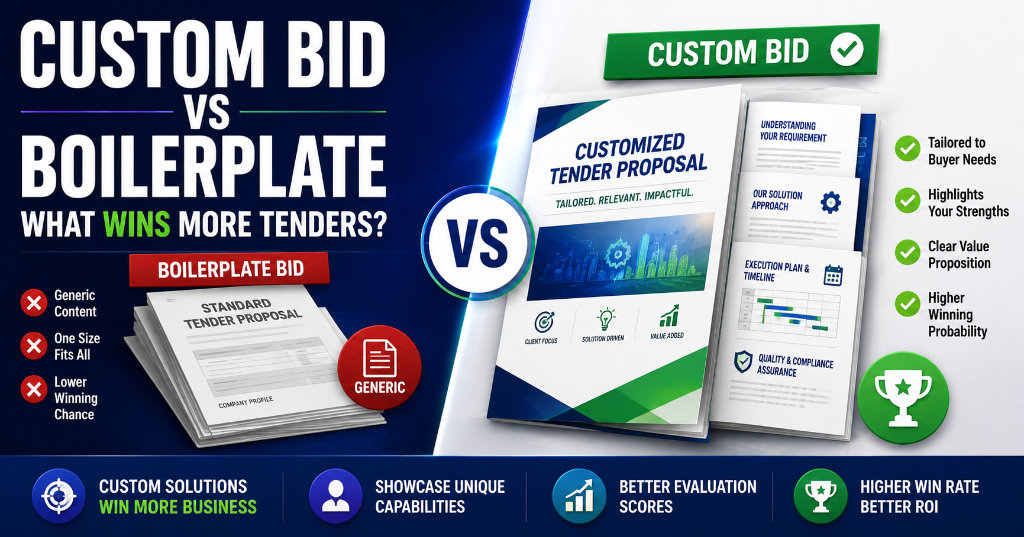
The Custom Bid Boom: Why 62% of GeM GMV Now Flows Through Non-Standard Procurement
In Fiscal Year 2024–25, GeM's services segment accounted for ₹2.54 lakh crore — 62% of total GMV — growing nearly 100% year-on-year. This wasn't driven by standard catalogue purchases. It was driven by Custom Bids, BOQ bids, and specialized service procurements that don't fit into GeM's predefined categories. For the comprehensive end-to-end framework, consult our how to bid for government tenders in India. To understand foundational rules, refer to our complete GeM portal guide.
Key Stat: GeM introduced 19 new service categories in FY 2024–25 alone, including specialized services like printing of debit cards, bulk email services, dark fibre leasing, and data centre operations management. Many of these procurements required Custom Bid creation because no standard catalogue existed.
The Shift in GeM Procurement:
| Year | Standard Catalogue Share | Custom/BOQ/Service Bid Share |
|---|---|---|
| FY 2021–22 | ~65% | ~35% |
| FY 2022–23 | ~55% | ~45% |
| FY 2023–24 | ~48% | ~52% |
| FY 2024–25 | ~38% | ~62% |
What This Means for Sellers:
The highest-value contracts on GeM are increasingly Custom Bids — not standard catalogue orders. If you're only listing products in standard categories, you're missing 62% of the market. Understanding Custom Bid mechanics is no longer optional; it's essential for growth.
🎯 CTA: Not sure whether to bid on standard or custom tenders? Start with our GeM Direct Purchase & Thresholds guide to understand the full procurement method hierarchy.

Get the GeM Success Toolkit
Register, list, bid, and win on GeM without losing a single rupee in deposits or caution money.
- ✓ 150-Point Pre-Submission Checklist (PDF)
- ✓ EMD & BG Format Verification Guide + Excel Checker
- ✓ GST / PAN / TAN Cross-Verification Guide
- ✓ MSME EMD Exemption Claim Letters (4 Formats)
🔒 256-Bit Secure Razorpay Checkout · Lifetime Access · Instant Digital Delivery
What Is a GeM Custom Bid? Definition, Scope & Types
A GeM Custom Bid (also called Custom Catalogue-Based Bid or Custom Item Bid) is raised when a government buyer needs a product or service that:
- Does not exist in GeM's standard catalogue categories
- Requires specifications beyond what the standard catalogue allows
- Is specialized, project-based, or niche in nature
Types of Custom Bids on GeM
| Custom Bid Type | Description | Typical Value | Best For |
|---|---|---|---|
| Custom Product Bid | Buyer defines exact product specs not in standard catalogue | ₹5 lakh – ₹50 lakh | Specialized equipment, scientific instruments, custom fabrication |
| Custom Service Bid | Buyer defines service scope, SLA, and deliverables | ₹5 lakh – ₹5 crore | Consulting, IT services, facility management, training |
| BOQ (Bill of Quantities) Bid | Multiple line items with quantities; seller quotes per item | ₹10 lakh – ₹10 crore | Construction, infrastructure, turnkey projects, multi-item procurement |
| Bunched Custom Bid | 2 or more custom bids combined into one procurement | ₹10 lakh – ₹20 crore | Integrated solutions, packaged services |
Instant Tender Eligibility & Risk Audit
Upload any 500-page NIT / BOQ PDF. Extract hidden disqualification traps, EMD waiver clauses, and complete eligibility criteria in under 45 seconds.
When Buyers MUST Use Custom Bids (Per GeM Rules)
| Scenario | Required Bid Type |
|---|---|
| Product not in standard catalogue | Custom Bid |
| Service not in standard service category | Custom Service Bid |
| Multiple related items needed together | BOQ Bid |
| Technical specs exceed standard category parameters | Custom Bid |
| Project-based deliverables with milestones | Custom Service Bid |
| Need for specialized SLA or penalty structure | Custom Service Bid |
When Buyers Should NOT Use Custom Bids (Prohibited)
| Prohibited Scenario | Correct Alternative |
|---|---|
| Item exists in standard catalogue | Standard Category Bid or Direct Purchase |
| Single item being procured as BOQ | Standard Bid or Custom Bid (not BOQ) |
| Routine office supplies | Direct Purchase or Standard Bid |
| Common IT equipment (laptops, printers) | Standard Category Bid |
| Standard AMC services | Standard Service Category Bid |
Boilerplate (Standard) Bids: How GeM's Pre-Defined Catalogue Works
Boilerplate or Standard Bids use GeM's existing catalogue categories where product specifications are predefined by GeM. Sellers list products that match these predefined specs, and buyers purchase from the catalogue.
How Standard Catalogue Bids Work
┌─────────────────────────────────────────────────────────────────────┐
│  STANDARD (BOILERPLATE) BID FLOW                                    │
├─────────────────────────────────────────────────────────────────────┤
│  1. GeM defines product category with standard specifications        │
│     Example: "Laptop — 15.6", Intel i5, 8GB RAM, 512GB SSD"        │
│                                                                     │
│  2. Sellers list products matching these exact specs                │
│     → Product appears in GeM marketplace                            │
│                                                                     │
│  3. Buyer searches category, applies filters                        │
│     → Golden Parameters (mandatory specs)                           │
│     → Silver Parameters (optional filters)                          │
│                                                                     │
│  4. Buyer compares eligible products                                │
│     → System recommends L1 (lowest landed cost)                     │
│                                                                     │
│  5. Buyer places order or initiates Bid/RA                          │
│     → Direct Purchase (≤₹50K)                                       │
│     → L1 Comparison (₹50K–₹10L)                                     │
│     → Bid/RA (>₹10L)                                                │
└─────────────────────────────────────────────────────────────────────┘
Characteristics of Standard/Boilerplate Bids
| Feature | Standard/Boilerplate Bid |
|---|---|
| Specifications | Predefined by GeM |
| Seller effort | List product once; orders come passively |
| Buyer effort | Search, filter, compare, order |
| Minimum value | No minimum |
| Maximum value | No maximum (but >₹10L requires Bid/RA) |
| Bid duration | N/A (catalogue-based) |
| DSC required | No for Direct Purchase/L1; Yes for Bid/RA |
| EMD | No for Direct Purchase; Yes for Bid/RA if >₹25L |
| Competition | All sellers in category |
| Customization | None — specs are fixed |
Custom Bid vs Boilerplate: The Complete Comparison
| Parameter | Standard/Boilerplate Bid | Custom Bid |
|---|---|---|
| Triggered by | Buyer browsing existing catalogue | Buyer with specific/custom requirement |
| Who can participate | Any seller with listed product | Any eligible seller (may need Universal Category) |
| Minimum order value | No minimum | ₹5 lakh (mandatory) |
| Maximum value | No upper cap | No upper cap |
| Specifications | Predefined by GeM | Defined by buyer |
| Evaluation method | L1 from catalogue comparison | L1, Bid-to-RA, or Two-Packet (OCBS/LCS) |
| Bid document needed | No | Yes — detailed SOW, SLA, terms |
| DSC required | No (for DP/L1) / Yes (for Bid/RA) | Yes (mandatory for bid submission) |
| Preparation time | Zero (if already listed) | Days to weeks |
| Bid duration | Instant (Direct Purchase) / 10–45 days (Bid) | 10–45 days (min 10, max 45) |
| EMD required | No (DP) / Yes if >₹25L (Bid) | Varies — MSEs exempt |
| Corrigendum possible | No | Yes — always check before deadline |
| Contract terms | Standard GeM GTC | Custom terms may apply (SCC, STC) |
| GeM Availability Report | Not required | Mandatory |
| Universal Category | Not needed | Often required |
| MSME price preference | Available | Available |
| Best for sellers | High-volume, standardized products | Specialized, high-margin, niche offerings |
The Custom Bid Creation Process: A Step-by-Step Walkthrough
For Buyers: How to Create a Custom Bid
Step 1: Generate GeM Availability Report (GAR)
- Navigate to GAR section
- Specify product/service parameters
- System checks for existing standard categories
- If no match, GAR is approved
Step 2: Create Custom Bid
- Enter bid title and description
- Set reference price (minimum ₹5 lakh)
- Define contract duration
- Upload mandatory documents:
- Scope of Work (SOW)
- Service Level Agreement (SLA)
- Payment Terms
- GeM Availability Report (GAR)
- Instruction to Bidders
- Pre-Qualification Criteria (PQC) if any
Step 3: Set Eligibility Criteria
- Turnover requirements
- Experience criteria
- Certifications needed
- Manpower requirements (for services)
Step 4: Select Evaluation Mode
- LCS (Least Cost Selection): L1 wins
- OCBS (Quality & Cost Based Selection): Weighted technical + financial score
Step 5: Set Bid Duration
- Minimum: 10 days
- Maximum: 45 days
- <21 days requires competent authority approval
Step 6: Publish Bid
- System publishes bid to eligible sellers
- Sellers notified via email/SMS
For Sellers: How to Participate in a Custom Bid
Step 1: Monitor Bid Notifications
- Check GeM seller dashboard daily
- Set up category-specific alerts
- Use TenderDekho or similar aggregators for broader coverage
Step 2: Read Complete Bid Document
- Technical specifications
- Eligibility criteria (turnover, experience, certifications)
- Delivery location and timeline
- EMD requirement
- Payment terms and warranty
- Additional Terms and Conditions (ATC)
Step 3: Check Product Listing Status
- Does your product match an existing GeM category? → Quote directly
- Is your product unique/not in catalogue? → Proceed to Step 4
Step 4: Create Universal Category Listing (If Needed)
- Navigate to Catalogue → Products → Add New Offering
- Enter all product details and specifications
- Upload supporting documents
- Submit for verification (takes 2–5 working days)
Step 5: Submit Bid
- Link your product listing to the custom bid
- Enter competitive pricing
- Upload all required documents
- Apply DSC signature
- Submit before deadline
Step 6: Track for Corrigendum
- Check bid page daily for amendments
- Acknowledge any corrigendum immediately
Step 7: Participate in Reverse Auction (If Applicable)
- Many custom bids move to RA after initial submission
- Set floor price before RA begins
- Monitor live bidding window
GeM Availability Report (GAR): The Mandatory Gatekeeper
The GeM Availability Report (GAR) is the most critical yet most misunderstood document in Custom Bid creation. It exists to prevent buyers from creating custom bids for items that are already available in GeM's standard catalogue.
Why GAR Is Mandatory
GeM's mission is to promote transparency and competition. If buyers create custom bids for standard items, they:
- Bypass the competitive marketplace
- Potentially favor specific sellers
- Violate GFR Rule 149 (competitive procurement)
The GAR ensures:
- The item is genuinely not available in standard categories
- The buyer has made a good-faith effort to find existing options
- Custom bid creation is justified and documented
How GAR Works
BUYER ACTION                          SYSTEM RESPONSE
────────────                          ───────────────
Login to GeM → GAR section
Enter product parameters
    ├─ Category name
    ├─ Key specifications
    ├─ Required features
    └─ Estimated quantity
                                      System searches standard catalogue
                                      ↓
                                      Match found? → GAR REJECTED
                                      ↓
                                      No match? → GAR APPROVED
                                                           ↓
                                      Buyer can now create Custom Bid
GAR Rejection Scenarios
| Buyer Attempt | GAR Result | Correct Action |
|---|---|---|
| Create custom bid for "HP Laptop 15s" | REJECTED — exists in standard category | Use Standard Category Bid |
| Create custom bid for "Dell Monitor 24" | REJECTED — exists in standard category | Use Standard Category Bid |
| Create custom bid for "Custom Scientific Instrument X" | APPROVED — no standard match | Proceed with Custom Bid |
| Create BOQ bid for single laptop | REJECTED — single item BOQ prohibited | Use Standard Bid or Custom Bid |
Seller Implication: Use GAR to Challenge Invalid Custom Bids
If you see a custom bid for an item that clearly exists in GeM's standard catalogue, you can:
- File a pre-bid objection citing GAR violation
- Report to GeM helpdesk
- The bid may be cancelled and re-floated as a standard bid
This creates a competitive opportunity for you.
The Universal Category: How Sellers List Products for Custom Bids
Universal Category is GeM's special listing option for products that don't belong to any existing standard category. It's the bridge that allows sellers to participate in Custom Bids.
When You Need Universal Category
| Scenario | Action Required |
|---|---|
| Your product matches an existing GeM category | List in standard category; no Universal Category needed |
| Your product is unique with no standard match | Must create Universal Category listing first |
| You're responding to a Custom Bid | Check if your product needs Universal Category |
| You're responding to a BOQ Bid | Same as above — match or create Universal Category |
Universal Category Creation Process
Step 1: Navigate to Catalogue → Products → Add New Offering
Step 2: Select "Universal Category"
Step 3: Enter Product Details
- Product name and description
- All technical specifications
- Images (5+ high-resolution)
- Supporting documents (BIS, ISO, test reports)
- Pricing details
- Delivery terms
Step 4: Submit for Verification
- GeM team reviews the listing
- Verification takes 2–5 working days
- You may be asked for additional documents
Step 5: Listing Approved
- Product appears in your seller dashboard
- You can now link it to Custom Bids
Critical Timing Consideration
You cannot quote in a Custom Bid without an approved product listing.
| Custom Bid Closing Date | Last Day to Submit Universal Category Listing |
|---|---|
| Day 10 | Day 5 (allow 5 days for verification) |
| Day 15 | Day 10 |
| Day 21 | Day 16 |
| Day 30 | Day 25 |
| Day 45 | Day 40 |
Pro Tip: Create Universal Category listings for your niche products before relevant custom bids appear. This way, you're ready to quote immediately.
BOQ (Bill of Quantities) Bids: Multi-Item Custom Procurement
A BOQ (Bill of Quantities) Bid is a specialized form of Custom Bid used when the buyer needs multiple items or services with defined quantities. Instead of quoting a single price, sellers must quote unit rates for each line item.
When BOQ Bids Are Used
| Scenario | BOQ Applicability |
|---|---|
| IT infrastructure setup (servers + switches + cables + racks) | ✅ Yes |
| Construction project (cement + steel + bricks + labor) | ✅ Yes |
| Facility management (cleaning + security + maintenance) | ✅ Yes |
| Single laptop purchase | ❌ No — prohibited |
| Single AMC contract | ❌ No — use Custom Service Bid |
BOQ Structure
| S.No | Item Description | Unit | Quantity | Unit Rate (Seller Fills) | Total Amount (Auto) |
|---|---|---|---|---|---|
| 1 | Server Rack 42U | Nos. | 2 | ₹45,000 | ₹90,000 |
| 2 | CAT6 Cable (305m) | Box | 5 | ₹8,500 | ₹42,500 |
| 3 | Patch Panel 24-port | Nos. | 3 | ₹3,200 | ₹9,600 |
| 4 | Installation & Testing | LS | 1 | ₹25,000 | ₹25,000 |
| Grand Total | ₹1,67,100 |
Important: Sellers can only fill the Rate column. They cannot edit descriptions, units, or quantities.
BOQ Evaluation
- System calculates total for each bidder automatically
- L1 is determined by lowest Grand Total
- Technical evaluation happens first (all items must meet specs)
- Financial evaluation compares total bunch cost
BOQ Bidding Strategy
Strategy 1: Strategic Item-Level Pricing
You don't need to be cheapest on every item. You need the lowest total.
| Item | Your Rate | Competitor A | Competitor B |
|---|---|---|---|
| Server Rack | ₹45,000 (L2) | ₹42,000 (L1) | ₹48,000 (L3) |
| Cable | ₹8,000 (L1) | ₹8,500 (L2) | ₹9,000 (L3) |
| Patch Panel | ₹3,000 (L1) | ₹3,500 (L2) | ₹3,200 (L2) |
| Installation | ₹28,000 (L3) | ₹25,000 (L1) | ₹30,000 (L3) |
| Total | ₹1,64,000 | ₹1,66,500 | ₹1,72,200 |
Result: You win L1 despite being L2 on the highest-value item (Server Rack) and L3 on installation. Your strength on mid-value items (Cable, Patch Panel) gives you the lowest total.
Strategy 2: Watch for Hidden Costs
BOQ bids often have "LS" (Lump Sum) items where the quantity is 1 but the scope is broad. Underpricing these can erode your margin.
25 Prohibited Practices in GeM Custom Bid Creation
GeM has published a comprehensive list of prohibited practices in Custom Bid creation. Both buyers and sellers should know these — buyers to avoid bid cancellation, sellers to challenge invalid bids.
The Prohibited Practices List
| # | Prohibited Practice | Why It's Banned |
|---|---|---|
| 1 | Creating custom bids for items available in standard categories without bundling a category item | Circumvents competitive marketplace |
| 2 | Creating BOQ bid for single item | BOQ is for multi-item procurement only |
| 3 | Mentioning specific brand/make/model/manufacturer/dealer name | Restricts competition; violates fair procurement |
| 4 | Seeking EMD from exempt sellers (MSEs/Startups) | Violates MSME policy and GFR Rule 170 |
| 5 | Mandating physical document submission | GeM is paperless; digital-only process |
| 6 | Floating work contracts as custom bids in services | Work contracts have separate GFR rules |
| 7 | Seeking sample with bid or approval during evaluation | Delays process; may favor specific sellers |
| 8 | Mandating foreign/international certifications when Indian standards exist | Promotes imports over domestic |
| 9 | Seeking experience from specific organization/department only | Restricts competition; cronyism risk |
| 10 | Seeking foreign/export experience | Discriminates against domestic sellers |
| 11 | Creating bid for items from irrelevant categories | Mismatched procurement; audit objection |
| 12 | Incorporating clauses against MSME policy | Violates PPP-MSE Order, 2012 |
| 13 | Incorporating clauses against Make in India policy | Violates DIPP Order, 2017 |
| 14 | Referencing conditions on external sites/documents | GeM bids must be self-contained |
| 15 | Asking for tender fee/bid participation fee/auction fee | GeM prohibits fees; free participation |
| 16 | Buyer ATC clauses contradicting system-generated bid template | System template overrides custom ATC |
| 17 | Class I/Class II supplier definition not aligned with DPIIT order | Must follow official DPIIT classification |
| 18 | Defining MSE criteria contrary to extant Udyam rules | Must follow current MSME definitions |
| 19 | Creating custom bids without mandatory GAR | GAR is mandatory for custom bid justification |
| 20 | Setting bid duration <10 days without approval | Minimum 10 days; <21 days needs CA approval |
| 21 | Setting reference price below ₹5 lakh for custom bids | Minimum ₹5 lakh for custom bids |
| 22 | Seeking ePBG from exempt categories | Exempt sellers cannot be asked for ePBG |
| 23 | Mandating specific delivery timeline that only one seller can meet | Artificial restriction |
| 24 | Requiring certifications not relevant to product category | Unnecessary eligibility barriers |
| 25 | Creating bids with ambiguous or incomplete specifications | Unfair evaluation; disputes |
What Sellers Can Do When Prohibited Practices Are Used
- Pre-Bid Objection: Submit written objection before bid closing
- CPPP Grievance: File on eprocure.gov.in under "Tender Condition"
- GeM Helpdesk: Report directly to GeM support
- CPGRAMS: For central government buyers
- CVC Complaint: If corruption is suspected
How Buyers Should Structure Custom Bids (Compliance Guide)
For government buyers and procurement officers, here's a compliance-focused checklist for creating valid Custom Bids.
Pre-Creation Checklist
- GAR Generated: Has the GeM Availability Report been generated and approved?
- Standard Category Ruled Out: Confirmed that no standard category meets the requirement?
- Value ≥ ₹5 Lakh: Is the estimated value at least ₹5 lakh?
- Bid Duration: Set between 10–45 days; <21 days needs CA approval
- No Brand Names: Specifications are generic, not brand-specific?
- MSME Compliant: Eligibility criteria don't exclude MSEs unfairly?
- Make in India Compliant: Local content requirements follow DIPP order?
Document Upload Checklist
- Scope of Work (SOW): Detailed description of requirement
- Service Level Agreement (SLA): For services — response time, penalties, milestones
- Payment Terms: Clear schedule — advance, milestone, final
- Penalties: Defined for non-performance, delay, SLA breach
- Quantifiable Specifications: Measurable standards for evaluation
- Project Experience Requirements: Realistic and non-discriminatory
- GAR: Mandatory upload
- Instruction to Bidders: Clear process, evaluation criteria, timeline
Evaluation Mode Selection
| Bid Type | Recommended Mode | Why |
|---|---|---|
| Standard goods, clear specs | LCS (Least Cost Selection) | Simple L1 evaluation |
| Consultancy, design, complex services | OCBS (70:30 or 80:20) | Quality matters |
| High-value goods, price-sensitive | Bid-to-RA | Maximum price discovery |
| Turnkey projects | Two-Packet (Technical + Financial) | Rigorous gatekeeping |
How Sellers Should Win Custom Bids (Strategy Framework)
The 6-Step Custom Bid Winning Framework
Step 1: Early Discovery (Days 1–3 of Bid Publication)
- Check GeM dashboard daily
- Set alerts for your niche categories
- Read bid document fully within 24 hours of publication
Step 2: Eligibility Assessment (Day 2)
- Turnover requirement: Do you meet it?
- Experience requirement: Do you have documented proof?
- Certifications: Are they current and valid?
- Location: Can you deliver to the specified location?
- Decision Point: If you fail 2+ criteria, skip the bid
Step 3: Product Listing Preparation (Days 2–5)
- Check if product exists in your catalogue
- If not, initiate Universal Category listing immediately
- Gather all supporting documents
Step 4: Pricing Strategy (Days 3–7)
- Research last purchase price (LPP) if available
- Check competitor pricing on similar custom bids
- Calculate total cost including delivery, installation, training
- Set competitive but sustainable price
- For services: Factor in manpower, travel, overheads, risk premium
Step 5: Technical Bid Preparation (Days 5–10)
- For OCBS bids: Invest 70% of time in technical bid
- Write bid-specific methodology (not copy-paste)
- Include detailed work plan, timeline, risk register
- Submit strong client references with metrics
- Highlight unique capabilities
Step 6: Submission & Follow-Up (Before Deadline)
- Submit 24–48 hours before deadline
- Check for corrigenda daily
- Acknowledge any amendments immediately
- Prepare for Reverse Auction if Bid-to-RA is selected
Evaluation Modes for Custom Bids: OCBS vs LCS
Custom Bids on GeM offer two primary evaluation modes. Buyers select this at bid creation, and it fundamentally changes how sellers should approach bidding.
LCS (Least Cost Selection)
What It Is: The technically qualified bidder with the lowest total price wins. Pure L1 logic.
When Used: Standard goods, commoditized services, clear specifications where quality variation is minimal.
Seller Strategy:
- Focus on cost optimization
- Minimize P&F, freight, and overhead
- Ensure technical compliance (pass/fail gate)
- Price aggressively but above floor
OCBS (Quality and Cost Based Selection)
What It Is: Technical score and financial score are weighted together. Highest composite score wins.
When Used: Consultancy, design, specialized services, complex projects where technical approach varies significantly.
Typical Weightages:
| Weightage Split | Technical | Financial | Best For |
|---|---|---|---|
| 70:30 | 70% | 30% | Highly technical services |
| 80:20 | 80% | 20% | Consultancy, advisory |
| 60:40 | 60% | 40% | Moderately complex projects |
| 50:50 | 50% | 50% | Balanced quality-cost projects |
Seller Strategy:
- Invest heavily in technical proposal
- Customize methodology to bid specifics
- Showcase unique expertise and past performance
- Price can be 15–20% above pure L1 and still win
How to Check Evaluation Mode Before Bidding
The evaluation mode is displayed in the bid document under:
- "Evaluation Method" or "Mode of Evaluation"
- "Bid Details" section
- "Additional Terms and Conditions (ATC)"
Always check this before pricing. It determines whether you optimize for lowest price or highest technical score.
Case Studies: Custom Bid Wins and Losses
Case Study 1: The Scientific Equipment Seller Who Won Through Universal Category
Company: LabTech Instruments (Small Enterprise, Hyderabad) Product: Custom-built spectrophotometer for research institution Bid Type: Custom Product Bid Estimated Value: ₹18 lakh
Challenge: The spectrophotometer had no standard category on GeM.
What They Did:
- Discovered the custom bid on Day 2 of publication
- Immediately initiated Universal Category listing
- Submitted detailed technical specs, images, and certifications
- Universal Category approved in 3 days
- Submitted bid 2 days before deadline
- Technical score: 88/100 (highest)
- Financial bid: ₹17.5 lakh (L2 by ₹80,000)
- Evaluation mode: OCBS 70:30
Result: Won the contract. Despite being L2 on price, their technical score (88 vs L1's 72) gave them a higher composite score.
Key Lesson: In OCBS custom bids, technical excellence beats marginal price advantage.
Case Study 2: The IT Services Firm That Lost Due to Corrigendum
Company: CloudServe Solutions (Micro Enterprise, Pune) Service: Data migration and cloud setup for government department Bid Type: Custom Service Bid Estimated Value: ₹12 lakh
What Went Wrong:
- Discovered bid on Day 5 of 21-day window
- Prepared and submitted bid on Day 18
- Missed a corrigendum issued on Day 12 that changed the SLA requirements
- Submitted bid based on original SLA (48-hour response time)
- Corrigendum required 24-hour response time
- Bid was auto-disqualified for not acknowledging the corrigendum
Result: Lost without evaluation. The contract went to a competitor who acknowledged the corrigendum.
Key Lesson: Corrigendum vigilance is non-negotiable. Always check for amendments, especially in 21+ day bid windows.
Case Study 3: The Construction MSME That Mastered BOQ Bidding
Company: BuildRight Contractors (Small Enterprise, Jaipur) Project: Renovation of government office building Bid Type: BOQ Bid (25 line items) Estimated Value: ₹45 lakh
Strategy:
- Analyzed each BOQ line item for margin potential
- Identified 5 high-competition items (cement, steel) — priced at cost + 5%
- Identified 10 medium-competition items (tiles, paint) — priced at cost + 12%
- Identified 10 low-competition items (specialized fixtures, custom woodwork) — priced at cost + 25%
- Total bunch cost was L1 by ₹1.2 lakh
Result: Won the contract at ₹43.8 lakh. High-margin items offset low-margin items. Net project margin: 14%.
Key Lesson: BOQ bidding is strategic item-level pricing. You don't need to win every line; you need the lowest total.
Frequently Asked Questions (FAQs)
Q1. What is the difference between a Custom Bid and a Standard Bid on GeM?
A: A Standard Bid uses existing GeM catalogue categories with predefined specifications set by GeM. Sellers quote for products they already have listed in standard categories. A Custom Bid is created by the buyer when the product or service does not fit into any existing category, or when the buyer needs specifications beyond what the standard catalogue allows. Custom Bids require sellers to create a new listing under Universal Category before they can participate. Custom Bids have a minimum reference value of ₹5 lakh and a bid duration of 10–45 days.
Q2. What is the GeM Availability Report (GAR) and why is it mandatory?
A: The GeM Availability Report (GAR) is a mandatory document that buyers must generate before creating a Custom Bid. The GAR confirms that the required product or service is not available in GeM's standard catalogue. The buyer specifies custom parameters and the system checks for existing matches. If no suitable category exists, the GAR is approved and the buyer can proceed with Custom Bid creation. This prevents buyers from creating custom bids for items that are already available in standard categories — a practice that is prohibited and can lead to bid cancellation.
Q3. What are prohibited practices in GeM Custom Bid creation?
A: GeM prohibits several practices: (1) Creating custom bids for items available in standard categories, (2) Creating BOQ bids for single items, (3) Mentioning specific brand/make/model names, (4) Seeking EMD from exempt sellers, (5) Mandating physical document submission, (6) Floating work contracts as custom bids in services, (7) Seeking samples with bid, (8) Mandating foreign certifications when Indian standards exist, (9) Seeking experience from specific organizations only, (10) Creating bids from irrelevant categories, (11) Adding clauses against MSME or Make in India policy, and (12) Referencing external documents or websites.
Q4. How can sellers participate in GeM Custom Bids?
A: To participate: (1) Monitor bid notifications daily on GeM dashboard, (2) Read the full bid document including technical specifications and eligibility criteria, (3) Check if your product matches an existing listing — if yes, quote directly; if no, create a Universal Category listing first, (4) Upload the product under Universal Category (takes 2–5 days), (5) Submit the bid with competitive pricing and complete documents before deadline, and (6) Track for corrigenda and reverse auction if applicable.
Q5. What is the Universal Category on GeM and when is it needed?
A: Universal Category is a special listing option on GeM for products that do not belong to any existing standard category. If a buyer floats a Custom Bid and your product does not match any existing GeM category, you must first upload it under Universal Category and then use that listing to quote in the bid. You cannot skip the product-creation step and quote directly — the bid quote is always tied to a product listing. Allow 2–5 working days for Universal Category listing creation and verification before the bid closes.
Q6. Can a buyer create a custom bid for an item that exists in the standard catalogue?
A: No. GeM explicitly prohibits creating custom bids for items available in standard categories without bundling a category item. The GAR system is designed to catch and reject such attempts. If a seller encounters a custom bid for a standard item, they should file a pre-bid objection or report it to GeM helpdesk. The bid may be cancelled and re-floated as a standard bid, creating a fair competitive opportunity.
Q7. What is the minimum value for a GeM Custom Bid?
A: The minimum reference value for a Custom Bid on GeM is ₹5 lakh. This is hard-coded into the system — the buyer cannot create a custom bid with an estimated value below ₹5 lakh. For requirements below ₹5 lakh, buyers should use Direct Purchase (up to ₹50,000) or L1 Comparison (₹50,000–₹10,00,000) through standard categories.
Q8. How long does a GeM Custom Bid remain open?
A: The minimum bid duration for a Custom Bid is 10 days, and the maximum is 45 days. If the buyer sets a duration of less than 21 days, they must upload approval from the Competent Authority. Sellers should note that bids with shorter durations (10–15 days) require faster response times, especially if Universal Category listing is needed.
Q9. What evaluation modes are available for Custom Bids?
A: Custom Bids on GeM offer two primary evaluation modes: LCS (Least Cost Selection) where the lowest-priced technically qualified bidder wins, and OCBS (Quality and Cost Based Selection) where technical and financial scores are weighted (typically 70:30 or 80:20). The evaluation mode is selected by the buyer at bid creation and is visible in the bid document. Sellers should always check the evaluation mode before pricing — LCS requires price optimization, while OCBS rewards technical excellence.
Q10. What documents must a buyer upload when creating a Custom Bid?
A: Mandatory documents include: (1) Scope of Work (SOW), (2) Service Level Agreement (SLA) for services, (3) Payment Terms, (4) Penalties for non-performance, (5) Quantifiable Specifications/Standards, (6) Project Experience and Qualifying Criteria, (7) Educational/Technical Resource Profiles, and (8) GeM Availability Report (GAR). Optional documents include Pre-Qualification Criteria (PQC), Special Terms and Conditions (STC), and Introduction About the Project.
Conclusion & Action Plan
Custom Bids represent the fastest-growing and highest-value segment of GeM procurement. With 62% of GeM's GMV now flowing through services and custom procurement, sellers who master Custom Bid mechanics are positioning themselves for exponential growth.
The key insights:
- Custom Bids Are Not Optional: 62% of GeM GMV is custom/BOQ/service bids. Ignoring them means ignoring the majority of the market.
- Universal Category Is Your Gateway: Create listings for niche products before bids appear. The 2–5 day verification window can make or break your participation.
- GAR Is a Competitive Weapon: Challenge invalid custom bids for standard items. It creates opportunities and ensures fair play.
- Prohibited Practices Are Red Flags: Know the 25 prohibited practices. Use them to challenge unfair bids and protect your competitive position.
- Evaluation Mode Determines Strategy: LCS = optimize for price. OCBS = optimize for technical score. Always check before bidding.
- Corrigendum Vigilance Is Critical: One missed amendment = automatic disqualification. Check daily.
Your 30-Day Action Plan
| Week | Action | Expected Outcome |
|---|---|---|
| Week 1 | Audit your product portfolio; identify 5 products that need Universal Category listings | Ready for custom bids in your niche |
| Week 1 | Create Universal Category listings for these 5 products | 2–5 day verification buffer eliminated |
| Week 2 | Set up daily bid alerts for custom bids in your categories | Never miss a relevant opportunity |
| Week 2 | Study 5 recent custom bids in your domain; analyze evaluation mode, winner, and pricing | Competitive intelligence for pricing |
| Week 3 | Prepare a "Custom Bid Response Template" with pre-written methodology, work plan, and reference formats | Reduce bid prep time by 50% |
| Week 3 | Submit your first custom bid (start with ₹5–15 lakh range) | First custom bid experience |
| Week 4 | Review the 25 prohibited practices; create a checklist for challenging invalid bids | Protect your market from unfair competition |
| Week 4 | Join industry forums/LinkedIn groups for GeM custom bid discussions | Network intelligence and early bid alerts |
Related Articles (Topical Authority Cluster)
- GeM Direct Purchase Rules & New Financial Thresholds
- Decoding the GeM L1 Bidding & Automated Comparison Matrix
- GeM Reverse Auction Strategy: How to Win Without Underpricing
- How to Register on GeM Portal: Step-by-Step Guide for MSMEs
- Udyam Registration Complete Guide: Benefits, Process & Documents
- GFR 2017 Amendments (July 2024): What Changed for MSME Suppliers
- EMD Forfeiture Rules & Appeal Process: Complete 2025 Guide
- AMC Tender Bidding Strategy for Service-Based MSMEs
Disclaimer: This article is for informational purposes only and does not constitute legal or financial advice. GeM rules and processes are subject to change; verify current provisions from the official GeM portal (gem.gov.in) and the GeM Buyer User Manual.
About TenderFlow Pro: TenderFlow Pro is India's leading AI-powered tender intelligence platform for MSMEs. We help sellers discover custom bids, optimize Universal Category listings, and win high-value government contracts with data-driven insights. Start your free trial today.
Last Updated: 18 July 2025 | Reviewed by: TenderFlow Pro Advisory Panel